September 17, 2026
Bring a PowerPoint you have already made
A class you have taught using PowerPoint no longer has to be rebuilt to be taught here. Upload the presentation, choose the slides you want, and each one becomes a board, with the pictures and text arriving where they sat on the slide.
For teams running classes
Nothing changes for anyone taking a class, this is all in creating presentations.
A PowerPoint can become a presentation
Create an new presentation by importing a .pptx, or add PowerPoint slides to a presentation you have already created. Your file is read in your own browser, so nothing is uploaded until you have picked the slides you want to use.
You see what you are getting before you commit
The picker creates a preview of every board as it will be imported, rather than as it looked in PowerPoint. Images and text boxes are added to the boards arranged as they were in the original PowerPoint presentation.
Imported slides are yours to rearrange
Everything that arrives is a normal board. Pictures and text can be moved, resized, rewritten and removed, so a deck built for a screen can be opened out into something a class moves around inside.
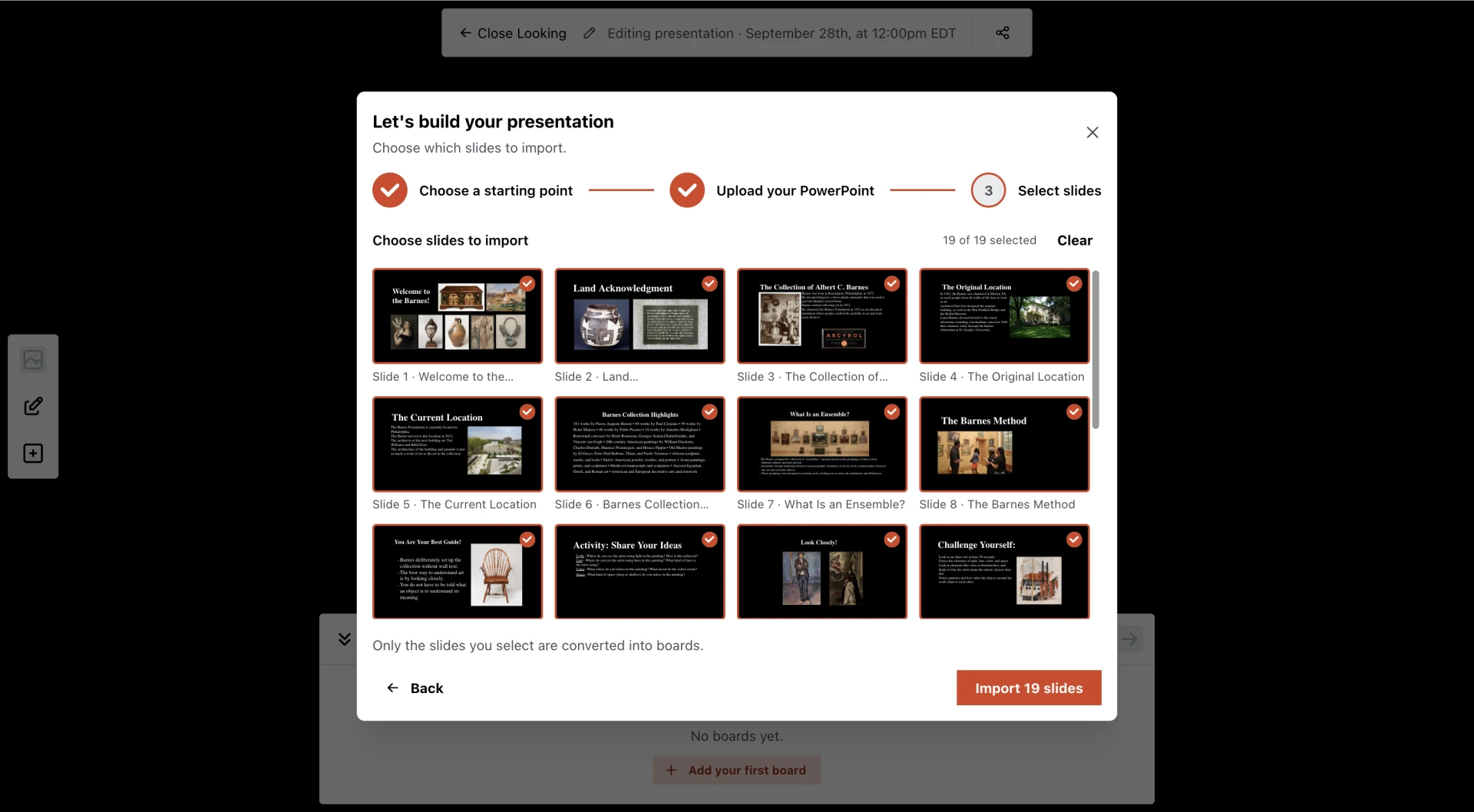
Choosing what to import. The whole deck starts selected — click a slide to drop it, or Shift-click to take a run — and the count and the Import button follow what you have chosen. Each thumbnail is drawn as the board it will become rather than as the slide looked, so what you see here is what you get.