September 9, 2026
A written guide for students, and a board you can arrange
There is now a guide to taking a class — how to join one, what each control does, and how to watch a class back afterwards. For the people building classes, the objects on a board can be moved and resized by hand.
Before your first class
Somewhere to look things up, without having to ask.
A guide to the VXP
The Student guide covers joining a class, what you can see and do once you are in one, how looking together and looking on your own differ, watching a class back afterwards, using a phone, and what to try when something is not working. It is a single page, so you can read it before your first class and search it during your fifth.
For teams running classes
Changes for the people building presentations and teaching sessions.
Arrange a board by hand
A board holding more than one object can now be laid out the way you want it by dragging and resizing any object on the board. Images will preserve their aspect ratio so you don't need to worry about accidentally distorting them. Changes are auto-saved as you work on the board.
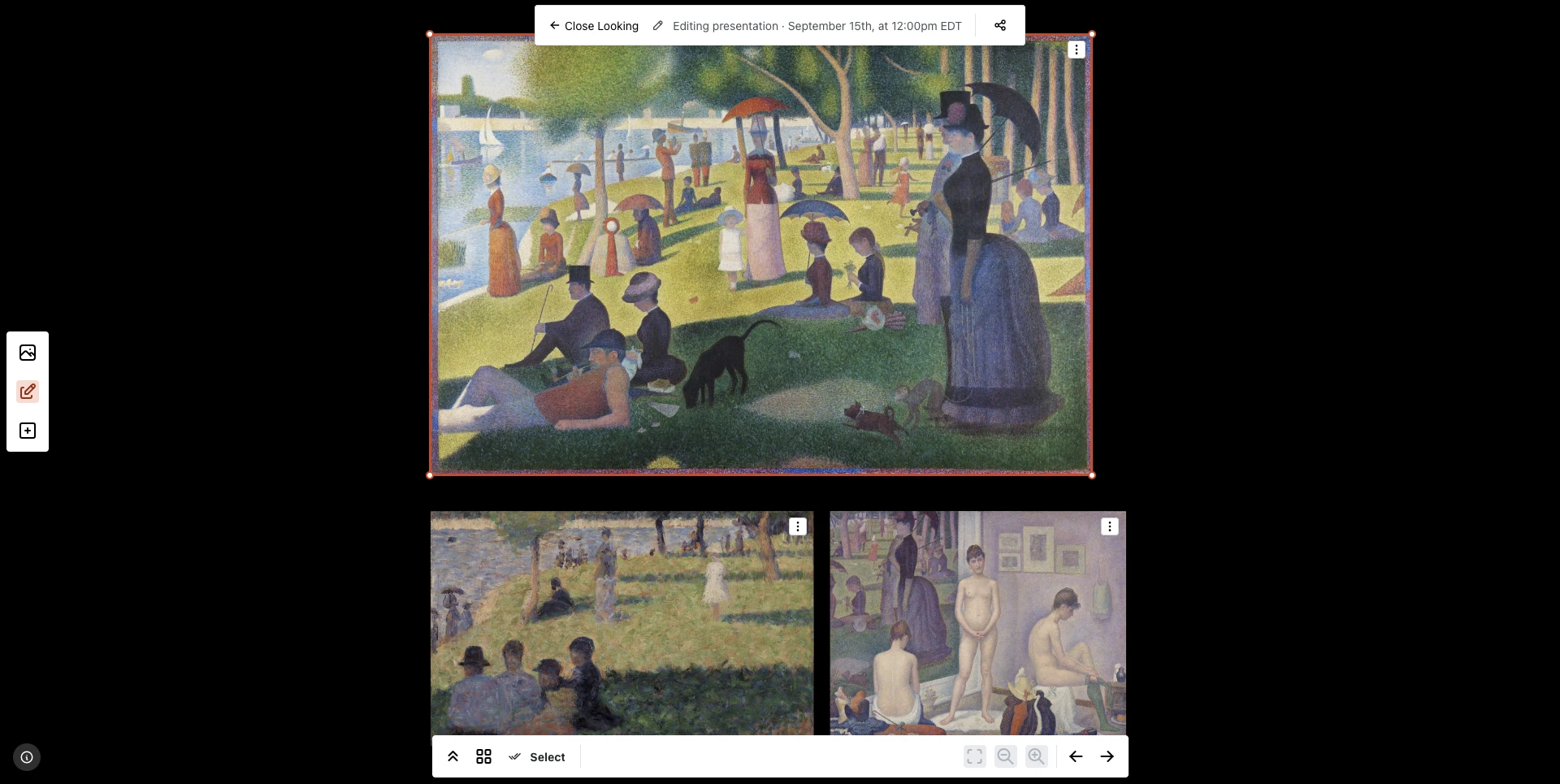
A board mid-arrangement. The ring and the four corner grips belong to the work that is selected — drag inside it to move it, drag a grip to resize it. Because the grips are on the corners, the proportions come with it.